
FunTrip
Your intelligent travel companion for iPad
FunTrip is an innovative iPad travel companion app built with SwiftUI, designed to transform the way tourists explore destinations.
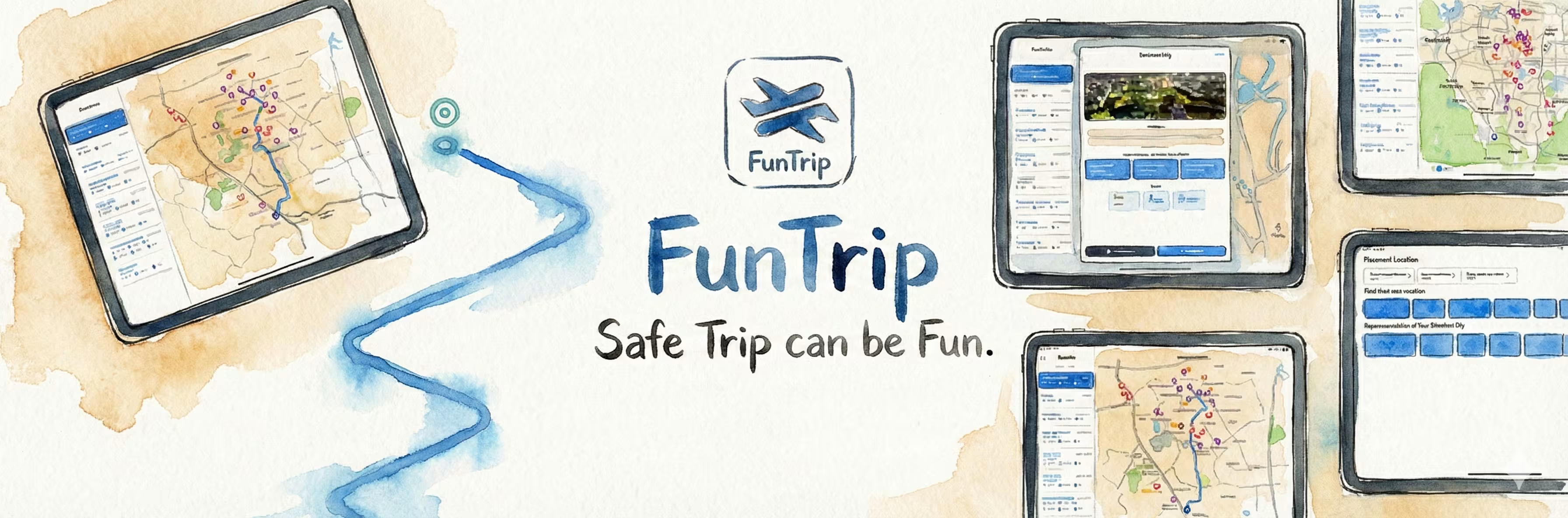
The Journey
Tourist Information Overload
Too many options, not enough clarity
As a tourist in a new city, you're overwhelmed with choices. Google Maps shows hundreds of restaurants, museums, and attractions - but which ones should you actually visit? The problem: • Too many options cause decision paralysis • Generic ratings don't help (everything is 4.5 stars) • No personalized recommendations • Hard to plan a route efficiently • Favorites get lost in bookmarks We wanted to build a travel companion that would: • Curate destinations by category (food, culture, nature, shopping) • Show clear, visual information (images, ratings, distances) • Provide real-time navigation • Remember your favorites across devices
iPad-First Design with Apple Services
Leveraging iOS frameworks for rich experiences
I decided to build for iPad first because: • Larger screen = better map visualization • Tourists often use iPads for trip planning • Split-view support for map + details The tech stack: • MapKit for interactive maps • CoreLocation for real-time positioning • CloudKit for favorites sync • Firebase for user authentication • Unsplash API for high-quality images • Sign in with Apple for privacy-first auth The architecture: 1. ViewModel manages map state and destinations 2. Repository layer handles API calls and data persistence 3. View layer is pure SwiftUI with declarative updates For the destination data, I integrated Unsplash API to fetch beautiful, high-quality images automatically based on destination names. This made the app visually stunning without requiring manual image curation.
Learning MapKit Under Pressure
Two weeks to master maps and location
I had never worked with MapKit or CoreLocation before this project. I had two weeks to learn and ship. Week 1: Learning fundamentals • MapKit basics (annotations, overlays, user tracking) • CoreLocation permissions and accuracy modes • Calculating routes with MKDirections • Custom map annotations Week 2: Building features • Interactive filters (city, category) • Real-time navigation with turn-by-turn • Favorites syncing with CloudKit • Polish and animations The biggest challenge? CloudKit sync conflicts. When a user favorites a location on multiple devices simultaneously, conflicts happen. I implemented a "last write wins" strategy with timestamp comparison. Another interesting challenge: Making Sign in with Apple feel premium with Lottie animations. Instead of a boring loading spinner, I used a custom animation that matched the app's playful, travel-focused aesthetic.
Making Travel Planning Delightful
When technology enhances real-world experiences
FunTrip became more than a navigation app - it became a travel planning companion. Users would: • Browse destinations while planning trips • Save favorites for future visits • Navigate to attractions without switching apps • Discover hidden gems through curated categories The visual experience was crucial. By using Unsplash API, every destination had a beautiful, high-quality image. This made browsing feel more like flipping through a travel magazine than using a utility app. The CloudKit sync worked flawlessly - favorites added on iPad appeared instantly on iPhone, and vice versa. This seamless experience across devices was something users specifically highlighted in feedback. For me, this project was proof that you can learn complex frameworks (MapKit, CoreLocation, CloudKit) quickly when you have a clear goal and deadline. The two-week timeline forced me to focus on essentials and learn by doing.
Technologies Used
Key Features
Key Learnings
Project Gallery


Interested in this project?
Feel free to explore the code or see it in action. I m always happy to discuss the technical details!