
Portfolio Website
Crafting a digital identity with code and creativity
A modern, responsive portfolio website built with Next.js and Framer Motion. Features smooth animations, dark/light mode, blog integration, and optimized performance.
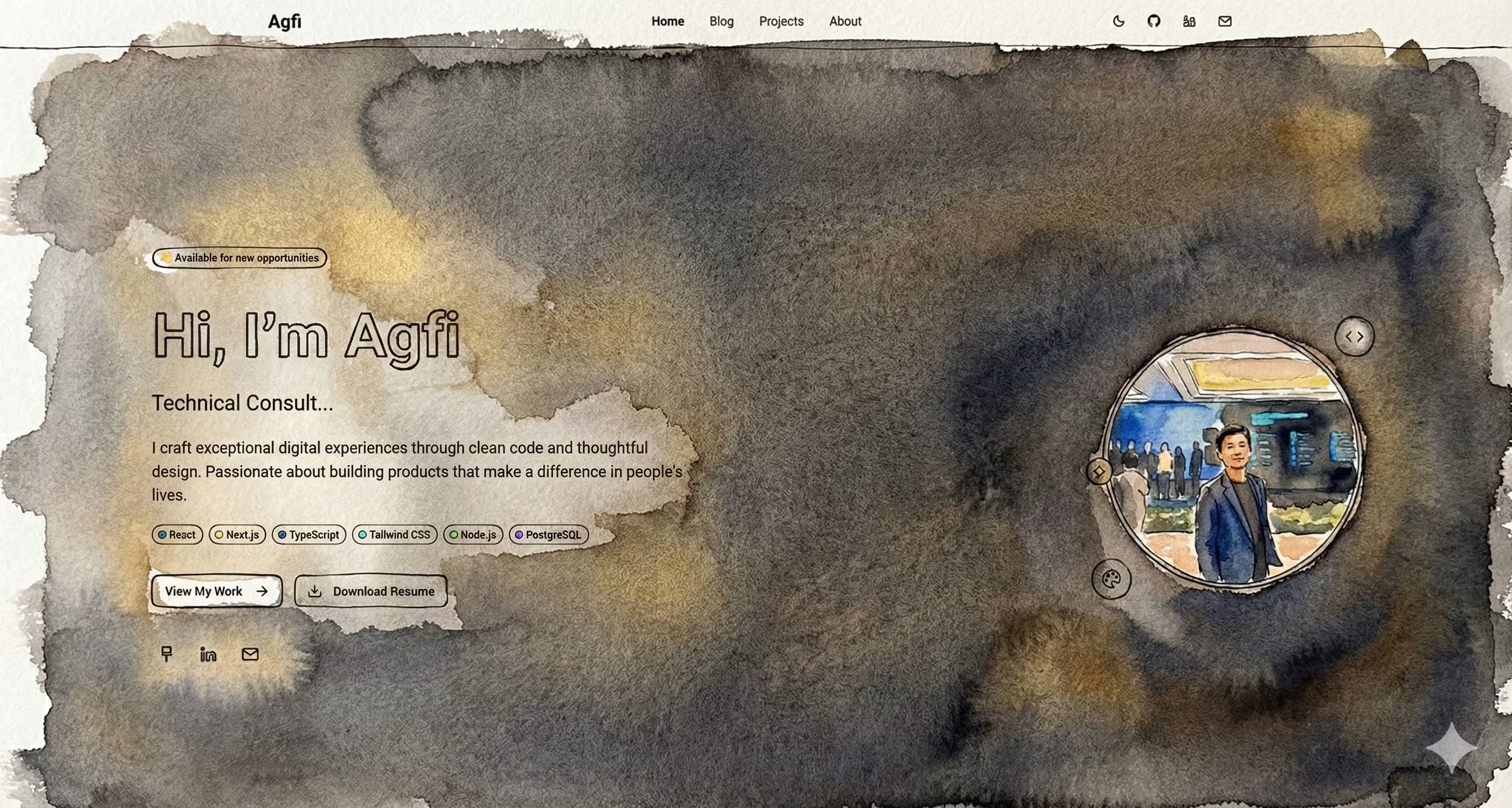
The Journey
Standing Out in a Sea of Portfolios
How do you make your portfolio memorable?
When I decided to rebuild my portfolio, I looked at hundreds of developer portfolios online. Most of them looked... the same. Hero section, about me, projects grid, contact form. Rinse and repeat. I wanted something different. Something that would: • Tell my story, not just list my skills • Show my personality through design choices • Make projects feel alive with animations • Be technically impressive while remaining performant The challenge was: how do you balance creativity with professionalism? How do you add personality without it feeling unprofessional?
Story-Driven Project Showcase
Projects as narratives, not just tech stacks
Instead of the typical "here's what I built" approach, I decided to tell stories about each project: • The Challenge: What problem was I solving? • The Solution: How did I approach it? • The Implementation: Technical details that matter • The Impact: Real results for real people For the blog, I built a custom MDX system that allows me to write posts in Markdown with React components embedded. This gave me the flexibility to create interactive content while keeping the writing experience simple. The architecture: • File-based blog posts (easy to write, version control friendly) • Automatic table of contents generation • Syntax highlighting with copy buttons • Reading time calculation • Related posts algorithm
Animations That Matter
Making every interaction delightful
I love animations, but I hate when they slow things down. The goal was to make every animation purposeful: • Hero section typing effect (shows personality) • Scroll-triggered reveals (guides attention) • Project card hovers (invites interaction) • Page transitions (maintains context) Using Framer Motion, I implemented viewport-triggered animations that only run when elements are visible. This saved tons of performance. The technical challenge: keeping Lighthouse scores above 95 while having 50+ animations. The solution: • Lazy load animations • Use CSS transforms (GPU accelerated) • Debounce scroll events • Optimize images with next/image Result: 98 Lighthouse score with buttery smooth animations.
A Portfolio That Opens Doors
When your work speaks for itself
The new portfolio became more than just a showcase - it became a conversation starter. Recruiters would mention specific projects they found interesting. Technical interviewers would ask about the story-driven format. But the best validation? When other developers asked if they could use my portfolio as inspiration for theirs. That's when I knew I'd created something that resonated. The portfolio also became a learning platform for me. By documenting my projects as stories, I gained clarity on my own growth as a developer. Each project section became a mini case study that helped me understand what I'd learned.
Technologies Used
Key Features
Key Learnings
Project Gallery
Interested in this project?
Feel free to explore the code or see it in action. I m always happy to discuss the technical details!